







Notary Stamp Templates: Plan a Clear Seal Layout Before You Order
Notary stamps are the workhorses of notarized paperwork. Next to the notary's signature, the seal shows who performed the notarial act, under which commission, and until when that commission is valid. Real estate closings, powers of attorney, affidavits, and many business documents pass through a notary's hands, and a clear, correct impression saves rejected documents and repeat appointments.
The templates in this category are mostly rectangular text layouts with lines for the notary's name, commission number, county, and expiration date, plus a few with date and signature fields. You can use them to plan the wording, check spacing, and produce a clean proof. This page explains the basics, the common layouts, and the limits of what a template can do.
The fundamentals of notary stamps
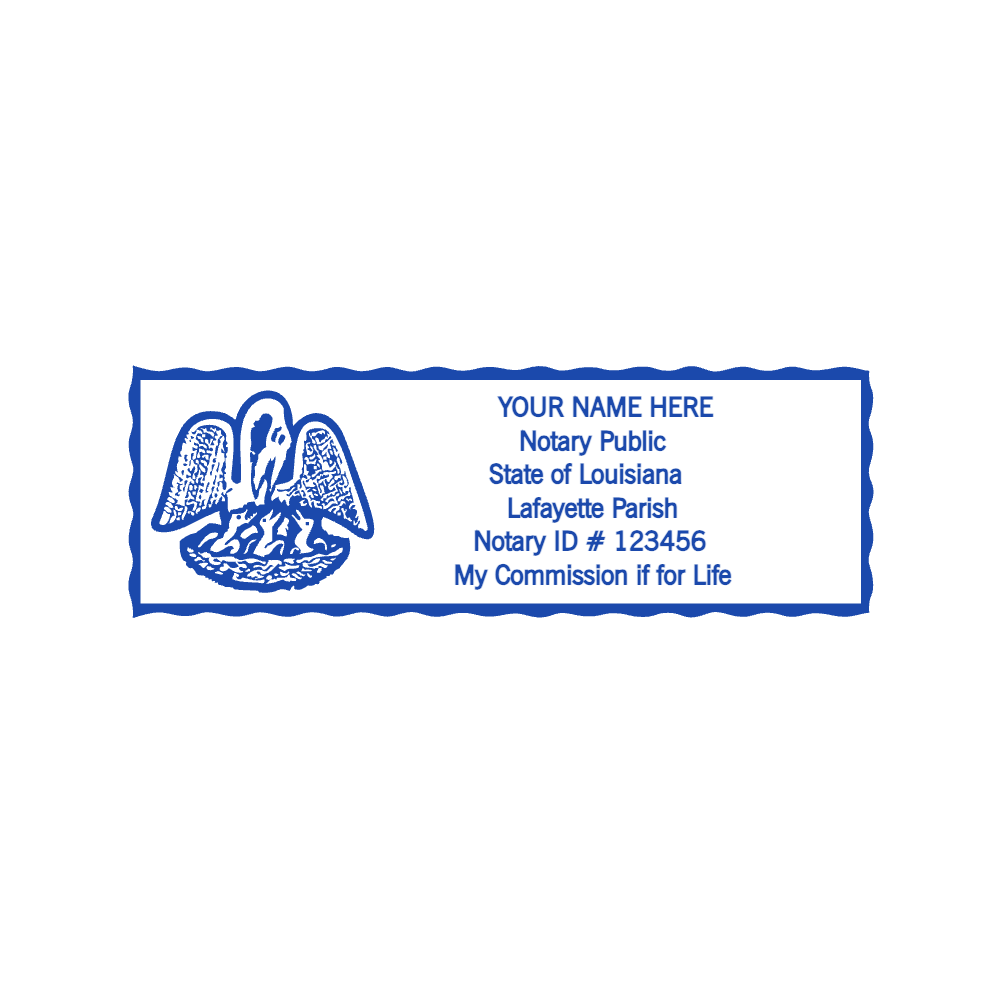
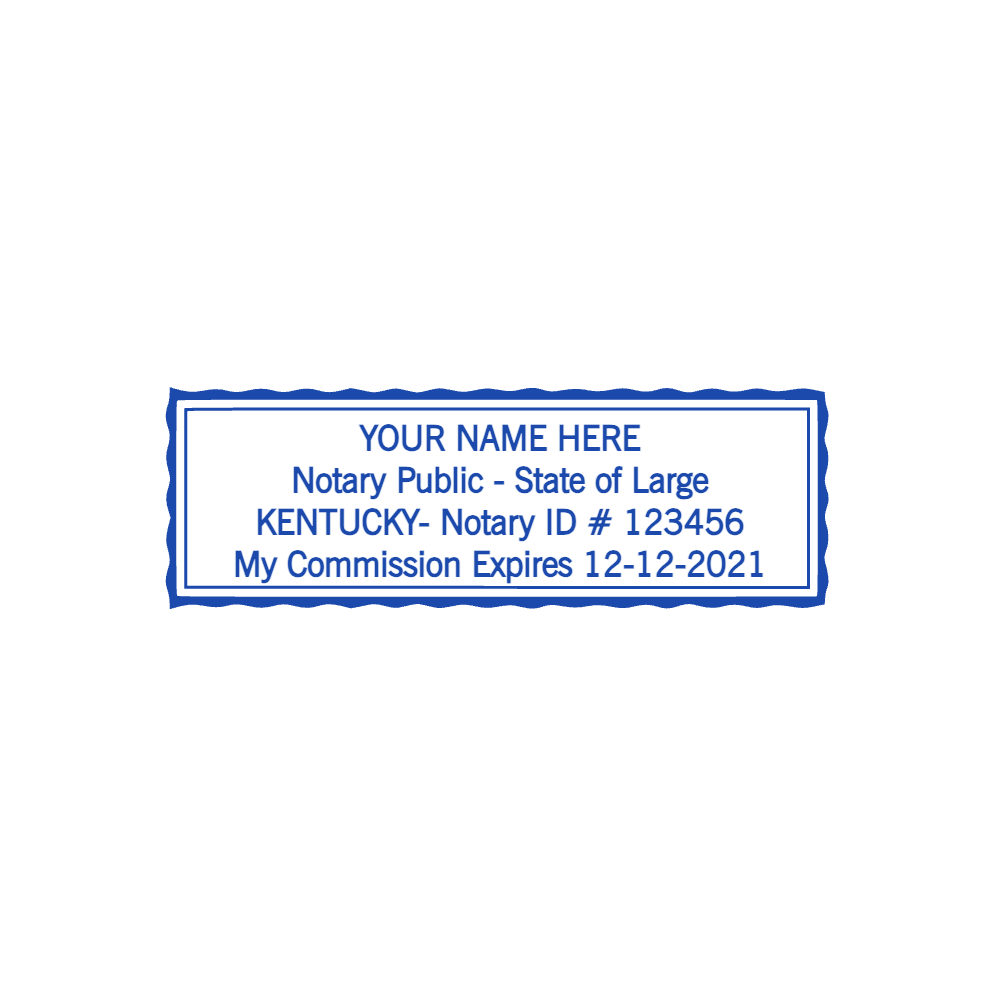
A notary stamp, often called a notary seal, is an official mark that identifies the notary on a notarized document. Depending on where the notary is commissioned, it commonly includes the notary's name as commissioned, the words "Notary Public," the state or jurisdiction, a commission number, and the commission expiration date. Some jurisdictions also ask for the county.
The rules are not the same everywhere. The commissioning authority, which in the United States is usually the state, decides whether a seal is required, what it must say, its shape and size, the ink color, whether an embosser may be used, and sometimes who may manufacture the seal and what proof of commission the maker must see. Outside the US, notarial systems work differently again. Always check your commissioning authority's current requirements before ordering a seal. StampDr is a design tool; it does not register, certify, or issue notary seals.
The general guide to notary stamps and how they are used gives more background for new notaries and for people who are about to have a document notarized.
Without a seal that meets the rules, a notarized document may be rejected by a recorder, bank, or court, which means delays and extra costs. That is why it pays to plan the layout carefully and confirm every detail before production.
Common notary stamp layouts
The templates cover several layouts that notaries use in practice:
- Rectangular ink seal: name, "Notary Public," state, commission number, and expiration date, stacked in four or five lines inside a border. This is the most common format for inked seals.
- Commission expiration stamp: a single line such as "My Commission Expires" followed by a date, for notaries whose main seal does not include the expiration or who need it as a separate line.
- County or venue stamp: "Acting in the County of" with a blank or a county name, used where that information must appear.
- Commission number line: a short stamp with the commission or notary ID number.
- Date and signature box: fields for date and signature, used next to the main seal in some offices.
- Round seal layouts: where a round seal is permitted or preferred, the name and jurisdiction run around the ring and the commission details sit in the center.
Round layouts need careful spacing. The spacing guide for curved text on round stamps explains how to fit a long name around the ring without crowding.
Example wording
A typical rectangular layout, using placeholder details:
JANE A. DOE
NOTARY PUBLIC
STATE OF EXAMPLE
COMMISSION NO. 1234567
MY COMMISSION EXPIRES 04/01/2030
Use your name exactly as it appears on your commission, including middle initials. Copy the commission number and expiration date from your commission certificate, not from memory.
Customizing notary stamp templates in StampDr
Select a template and the editor opens with that layout loaded. Then:
- Enter your details exactly as commissioned: full name, jurisdiction, commission number, and expiration date.
- Keep fonts plain and large enough. Many authorities set a minimum text size or require the seal to be legible when photocopied. A clear sans-serif or simple serif works best.
- Check the border. Some jurisdictions describe a required border style. Use the border options to match it where possible.
- Set the size to the dimensions your authority allows. If you are not sure, find the official requirement before going further.
- Choose the ink color the rules call for. Black is common; some places allow or require other colors.
- Review the live preview at actual size and print a test page.
If you prefer a round layout for a different purpose, such as a company seal for a notary business, the seal maker templates for company seals show round arc-text structures you can adapt.
Download a PDF or SVG for the vendor's proof, or a PNG for reference. A watermarked preview is free; clean files are paid per download or included in a plan. Where your authority requires seals to come from an authorized vendor, give the vendor your approved wording and let them produce the seal under their process.
Best practices for notary stamps
- Placement: apply the seal near your signature without covering text or other signatures, and press evenly so the whole impression copies cleanly.
- Security: keep the seal locked away when not in use. In many places the notary is responsible for its safekeeping and must report loss or theft.
- Commission changes: order a new seal when your commission is renewed, your name changes, or you move to a new county where that matters. Destroy old seals as your authority directs.
- Proofreading: check every character on the vendor's proof. The guide to proofreading names, numbers, and line breaks on a stamp lists the errors that slip through most often.
- Testing: stamp a sample page and photocopy it. If any line fades, ask the vendor about ink or size.
Electronic notarization
Remote and electronic notarization have their own rules, and the electronic seal is usually applied through an approved platform rather than as a free-standing image. Whether a digital seal image is acceptable, and in what format, depends on your authority and the platform. Check both before using any file from a template.
What templates can and cannot do
Templates help you see how your details will fit, compare layouts, and give a vendor clear artwork or wording. They do not make a seal compliant, replace the commissioning process, or authorize anyone to act as a notary. For new notaries, they are a low-pressure way to see what a seal will look like; for experienced notaries, a quick way to prepare wording for a renewal.
Legal offices that need received, filed, or copy stamps alongside notarial work can find those layouts in the justice stamp templates.
Frequently Asked Questions on Notary Stamp Templates
What information must a notary stamp include?
It depends on your commissioning authority. Name, "Notary Public," jurisdiction, commission number, and expiration date are common, but check the current rules for the exact list, size, shape, and ink color.
Can I order a notary seal made from a StampDr template?
Use the template to plan and proof your layout. Where your authority requires seals to come from an authorized vendor, or requires the vendor to see your commission, the seal must be produced through that process.
Can templates be used for electronic notarizations?
Only if your authority and your electronic notarization platform allow it. Many platforms apply their own electronic seal.
Is it free to try?
You can customize templates and download a watermarked preview for free. Clean files are paid per download or included in a plan.