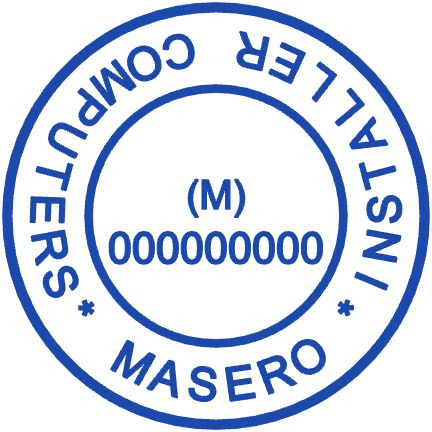
Design business stamps, seals and logo stamps right in your browser. Every tool is free to use, so you can check the result before you pay for the download.
Firm name with a signatory line for Indian paperwork.
How to Design Stamps Online
Follow these simple steps to create professional stamp designs with our online tool
1
Choose Your Template
Start by selecting a pre-designed template from our library or create a blank canvas. Our online stamp design tool offers various shapes including circular, rectangular, and custom designs.
Pro Tip: Browse through categories like business stamps, signature stamps, or address stamps to find the perfect starting point.
2
Add Your Content
Use the text tool to add your company name, address, or any custom text. Upload your logo or images to personalize your stamp design. The editor supports drag-and-drop for easy online stamp design.
Pro Tip: Keep text concise and readable. Use high-resolution logos for best print quality.
3
Customize Design
Adjust colors, fonts, sizes, and positioning. Apply effects like aging or borders to enhance your stamp design. Our tool provides real-time preview as you design online.
Pro Tip: Choose colors with good contrast for clarity. Test different font sizes for readability.
4
Preview & Download
Review your stamp design in the preview. Once satisfied, download it in high-resolution formats (PNG, JPG, SVG, EPS, PDF or DOCX) ready for printing or for placing on documents.
Pro Tip: Always preview at 100% size before downloading. Choose SVG for scalable vector output.
Why Choose Our Online Stamp Design Tool?
Powerful features that make stamp design online simple and professional
Intuitive Design Interface
Our online stamp design tool features a user-friendly interface that makes creating stamp designs accessible to everyone, from beginners to professionals.
Professional Templates
Access hundreds of professionally designed stamp templates. Each template is fully customizable to match your specific online stamp design needs.
Advanced Editing Tools
Layer management, alignment tools, color picker, and typography controls give you complete creative freedom in your online stamp design.
High-Quality Output
Export your stamp designs in multiple formats with high resolution (300+ DPI) suitable for professional printing services.
Real-Time Preview
See your online stamp design changes instantly with our real-time preview feature. What you see is exactly what you get.
Cloud-Based Design Tool
No software installation required. Design stamps online directly in your browser. Access your designs from anywhere, anytime.
Online Stamp Design Best Practices
Expert tips for creating professional stamp designs online
Optimal Size Selection
Choose the right stamp size for your purpose. Business stamps typically range from 1" to 2" in diameter. Ensure text remains readable at the chosen size.
Color Considerations
While our stamp maker supports full color, traditional stamps work best with high-contrast designs. Black on white provides the clearest impressions.
Text Legibility
Use clear, professional fonts. Avoid overly decorative typefaces for critical information. Maintain adequate spacing between text elements.
Logo Integration
Upload high-resolution logo files (at least 300 DPI). Simplify complex logos for better stamp reproduction. Vector formats (SVG) work best.
A Practical Guide to Designing a Stamp Online
Designing a stamp online used to mean wrestling with general-purpose graphics software. StampDr is built only for stamps, so the controls you need - curved text, border rings, plate sizes, ink colors - are already in place, and the editor runs in any modern browser on desktop or phone.
What online stamp design actually involves
Every stamp combines four decisions: the outline (round, oval, rectangle or triangle), the text and how it follows that outline, an optional logo or icon, and the output - a digital file, a physical stamp, or both. The editor keeps those decisions in one place, so changing the plate size or the border does not mean rebuilding the text.
That makes it practical to make a stamp online for very different jobs: a company seal with a registration number, a return address stamp, a signature stamp, a RECEIVED mark for a mail desk, or a logo stamp for packaging.
Why design in the browser instead of desktop software
There is nothing to install, and the preview updates as you type, so you notice awkward line breaks and spacing straight away. The editor also keeps your latest design in the browser on that device, so a trip to the pricing page or checkout does not mean starting over.
Templates cover the common stamp types - business, notary, medical, school, library and more - so you can start from a layout that already has sensible proportions and simply replace the wording with your own.
Tools that matter for stamps
Text can run along the top or bottom arc of a circle or oval, or sit in straight lines. Borders come in single, double, triple, dashed, dotted and vintage styles. You can upload a logo, add icons and shapes, change the ink color, lower the opacity for document overlays, and add an aging effect for a worn, hand-pressed look.
When the design is ready, export it as PNG, JPG, SVG, EPS, PDF or DOCX at a standard or custom size. Whether you start from a template or a blank plate, this stamp generator online gives you the same files and the same tools.
Popular Online Stamp Design Use Cases
Business Stamps: Create professional company stamps with logos and contact information
Signature Stamps: Design personal signature stamps for documents and correspondence
Address Stamps: Make return address stamps for mailings and packages
Logo Stamps: Convert your brand logo into a professional stamp design
Whether you are a sole trader who needs one company stamp or an office producing marks for several departments, the workflow stays the same: choose a starting point, fit the text to the shape, proof it at actual size and download the file you need.
Editor guide
What Each Stamp Design Tool Is For
The editor above is the same one used across StampDr, so everything here applies whether you start from a template or a blank plate. Use it as a reference when a design looks almost right but something is still off.
Plate shape and border
Choose the plate first - circle, oval, rectangle or triangle - and set its size with a standard preset or a custom diameter, width and height. The plate defines where text can go, so changing it late usually means re-spacing everything.
Borders give the stamp its character. A single ring looks clean and modern; a double ring is the classic choice for company and notary seals; dashed, dotted and vintage borders suit informal or decorative stamps. The stamp border guide compares them side by side.
Curved and straight text
Text layouts include a top arc, a bottom arc, top and bottom oval lines, and straight lines in the center or corners. On a round seal, put the organization name on the top arc and a location, year or slogan on the bottom arc, then adjust the letter spacing until both lines sit evenly.
If the top arc is crowded, shorten the wording before you reduce the font size.
Keep curved and straight text at least one stroke width away from the border.
For two languages, give each its own line instead of mixing scripts on one arc; the bilingual stamp guide shows workable layouts.
Logos, icons and images
You can upload a logo, pick from the built-in stamp images, or add shapes such as stars, hexagons and badges. A logo that works on a website often has fine lines and gradients that disappear in a stamp, so reduce it to one solid color and bold shapes first. The guide to simplifying a detailed logo shows how.
Icons should support the text, not compete with it. Keep them smaller than the main name and clear of curved lines, as covered in using icons without crowding stamp text.
Ink color, opacity and aging
Any color is available, but most stamps stick to one: blue or black for official paperwork, red for approvals and urgent marks. The red stamp guide explains when red helps and when it hurts readability.
Opacity matters when the stamp sits on top of document text. A slightly transparent ink lets the words underneath show through, the way a real impression does. The aging effect adds the uneven texture of a pressed stamp; use it lightly so names and numbers stay sharp. See digital stamp opacity and distressed stamp effects.
Export size and file type
Downloads come at 1x, 3x or 10x resolution, or at a custom size. Use a higher multiplier when the stamp will be printed large or placed in a high-resolution PDF; on-screen use rarely needs more than 1x. If a file looks soft after placing it, the cause is usually scaling, and why a digital stamp looks blurry covers the fixes.
PNG keeps a transparent background, JPG adds white, SVG and EPS are vector files for stamp manufacturers, PDF is ready to print, and DOCX places the stamp in a Word document. What each download costs is listed on the pricing page.
Mistakes that only show up after printing
Too much text: four lines squeezed into a small round seal will fill in on paper.
Hairline strokes and tiny serifs that vanish when the stamp is printed in one color.
A low-resolution logo stretched to fill the plate.
Three or more fonts competing for attention in a small space.
Need a proven layout? The seal maker templates cover round company and corporate seals, and the online rubber stamp creator templates are set up for physical stamps. For an overview of everything the product does, start on the online stamp maker home page.
Every stamp maker we tried squeezed our registered name until the ring looked like a smudge. Here I could shorten "Limited" to "Ltd", adjust the spacing on the arc and check it at actual size before paying. Our local stamp shop used the SVG as it was.
Made: Round company seal · PNG, SVG, EPS
Priya S.
Office manager, accounting firm · Leeds, UK
Logo stamp for our paper bags
Our logo has a lot of thin lines and the preview showed straight away that they would fill in. I made it one color, thickened the outline and stamped a test bag before ordering the rubber stamp. Two weeks in, the impressions are still clean.
Made: Logo stamp · SVG
Marco D.
Owner, family bakery · Turin, Italy
Quick signature stamp for my invoices
I only make a stamp online once or twice a year, so a plan made no sense. Paid for one PNG and dropped it into my invoices with the opacity turned down a little. Ten minutes, start to finish. I would like a few more fonts that look like real handwriting.
Made: Signature stamp · PNG
AK
Aisha K.
Freelance translator · Dubai, UAE
Useful for checking a layout before ordering
I used the seal maker to see how my commission details would fit before ordering the official stamp from an approved vendor. Changing the diameter and watching where the text broke saved me a reorder.
Made: Round notary layout · PDF proof
James W.
Notary public · Ohio, USA
My class asks for the star stamp now
I made three small stamps for marking homework: a star, a "well done" and a date stamp. The school templates got me most of the way there, I only changed the wording and the size.
Made: School stamps · PNG
Lena M.
Primary school teacher · Hamburg, Germany
RECEIVED and date stamps for the dock team
I started from a received stamp template, fixed the wording myself and added a line for initials. The rubber stamps our vendor made from the EPS files look exactly like the preview.
Made: Received and date stamps · SVG, EPS
RP
Rahul P.
Founder, logistics startup · Pune, India
Online Stamp Design FAQ
Common questions about designing stamps online with our tool
Open the editor above, pick a stamp template or start blank, add your text and logo, then tweak until it looks right. No signup needed to start designing.
It runs in your browser, shows changes live as you work, and needs zero installation. Plus you get templates that actually look professional.
Yep. Business stamps, address stamps, signature stamps, date stamps, notary stamps - whatever you need. The same online stamp maker handles them all.
PDF or SVG if you're printing it. PNG works great for digital stuff. Go with the highest resolution your printer accepts.
Absolutely. You see exactly what you are getting as you design, and you can download a free watermarked preview to test it on your document. No surprises when you download the final files.
Designing and the watermarked sample are free. A single clean download is $2.50 for PNG, $2.90 for PNG + SVG + EPS, or $3.50 for all six formats, with no account needed. For regular use, plans start at $9.90 a month on the yearly plan. See the pricing page.
It does. The tool adjusts to your screen size, so you can design stamps online from your phone or tablet. Desktop is more comfortable for fine spacing, but everything works on mobile.
The editor keeps your latest design in this browser when you leave the editor page or go to checkout, so you can usually pick up where you left off on the same device. Sign in to save designs to My Library for free, up to 50; a plan raises that to 1,000.
Choose a top arc or bottom arc text layout, type your text, and it follows the edge of the plate automatically. Then adjust the letter spacing until it looks even - the curved text spacing guide has the details.
PNG files export with transparent backgrounds by default. Perfect for dropping your stamp onto documents. JPG files have white backgrounds instead.
The background is still transparent. Some image viewers and phone galleries draw transparent areas as black. Open the file in Word or a browser, or place it on your document, and the background disappears.
Depends on what you need. Business stamps are usually 1-2 inches. Address stamps run smaller. Set your dimensions in the tool - you can always adjust before downloading.
Yes. Lots of businesses and notaries start from our seal maker templates for official-looking stamps. The files are print-ready and accepted by stamp manufacturers; just check any local rules for official seals first.
Yes. Each payment creates a Stripe invoice, and the order email we send to your checkout address lists the order reference, date and amount paid. Subscribers can download every invoice from the Stripe customer portal on the pricing page. Need a copy later? Contact support with your checkout email.
Ready to Design Your Stamp Online?
Use our online stamp design tool to create professional stamps in minutes. No registration required to get started.