Goods-in and delivery notes
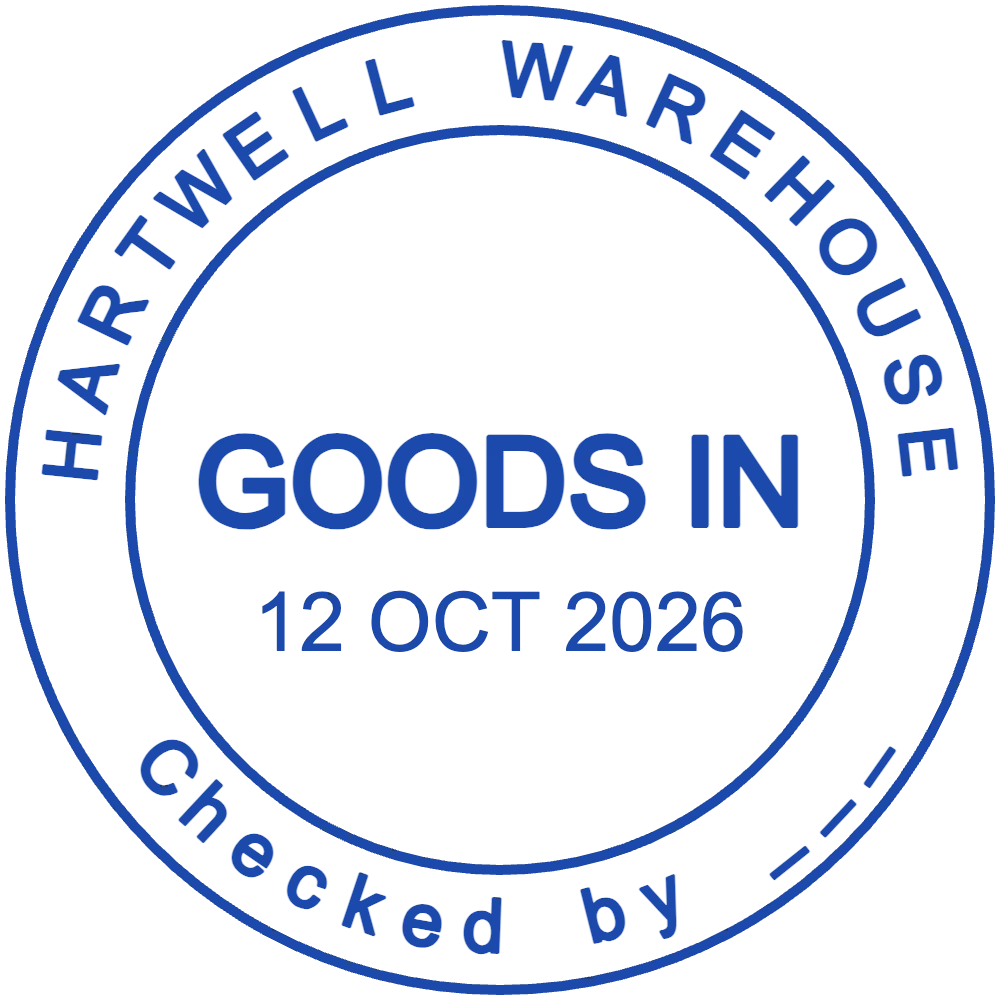
GOODS IN, the date and the checker's initials on the supplier's delivery note show that the load was counted against the paperwork before it went to put-away.
Stamps for warehouses, stores and goods-in teams
A warehouse runs on paper that has to show who checked what, and when: supplier delivery notes, goods-in sheets, pallet labels, picking lists and stock count sheets. StampDr's stamp maker lets you lay out a GOODS IN stamp with a date and a checker line, a QC HOLD mark that stands out on a pallet label and a STOCK COUNTED stamp for count sheets. Each one can be checked at its real size before it is ordered for the dock.

Open any of these in the editor: the wording is filled in, so you only change the site name, bay and labels to match your goods-in procedure.
For supplier delivery notes and goods-in sheets: the date and the checker on every delivery.
Open in editorFor pallet labels and cartons that must not be picked until quality has released them.
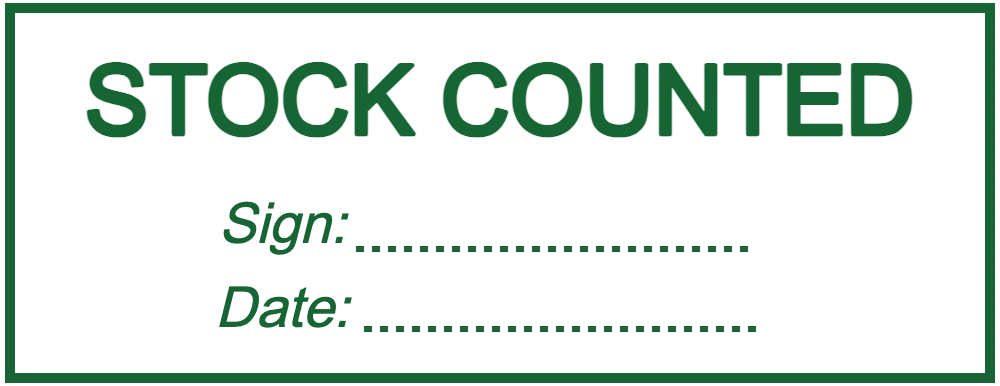
Open in editorFor stock count sheets and bin cards, with lines for the counter's signature and the date.
Open in editorScanners record most stock movements, but paper still travels with every delivery and every pallet. A stamp puts a status on that paper in a second, in a form nobody can misread.
GOODS IN, the date and the checker's initials on the supplier's delivery note show that the load was counted against the paperwork before it went to put-away.
A red QC HOLD on the pallet label tells pickers to leave the stock alone until quality signs it off, even on a night shift with nobody to ask.
A PICKED or CHECKED stamp with the picker's initials on each list makes a short pick easy to trace back to the right person and shift.
During a cycle count or the year-end stocktake, STOCK COUNTED and a signature line mark each finished sheet, so no location is counted twice or skipped.
Status stamps work best with one word in large type and room to write. Site details can go on a separate stamp.
Begin with one of the three designs above, or with an empty rectangle for a status word and a circle for a goods-in mark.
Use the words your team already says out loud: GOODS IN, QC HOLD, PICKED, COUNTED. Add the site or bay if more than one dock uses the stamp.
A status stamp of about 45 × 15 mm fits the margin of a delivery note; a 38 mm round stamp leaves room for a date and initials.
Print status labels from the PNG on your label printer, or send the SVG, EPS or PDF file to a stamp maker for one self-inking stamp per dock.
Green for released and red for hold, for example: the state of a pallet is clear before anyone reads the word.
Stretch wrap and glossy labels smear wet ink. Stamp the paper label before it goes on, or print the PNG as a label instead.
In chilled and frozen areas ink dries slowly and gloves make small stamps awkward. A larger design with fewer, bolder words presses more cleanly.
Use the same terms as your goods-in and quality procedures, so an auditor can match each stamp on a sheet to the step it records.
Most are 40 to 60 mm wide and 15 to 25 mm tall. Measure the free space on your delivery notes and pallet labels and design to fit it with a few millimetres to spare.
Yes. Download a full-resolution PNG and print it on adhesive labels, or a vector file if your label software accepts SVG or PDF. The same design can also go to a stamp maker.
It can, with tick boxes for RECEIVED, INSPECTED and REJECTED, but separate stamps in separate inks are quicker to read on the floor. Design the first one, then change the word and colour for the next.
You can upload a logo as an image, and a barcode or QR code the same way. Stamped barcodes often blur, so scan a test print before relying on one.
No, trying layouts and wording costs nothing. A payment is only needed when you download the finished file, as a single export or with a monthly, yearly or lifetime plan.
Start from a layout, type your site name and status words, and have your goods-in stamps ready before the next delivery arrives.
Professional online stamp maker. Create custom stamps with ease and precision.