






Business Stamps: Streamlining Everyday Office Documentation
Business stamps have been a staple in offices for decades, quietly handling the heavy lifting of authentication and organization. Marking an invoice as paid or adding the company mark to a contract takes a second, and it gives the document a consistent, recognizable finish. Understanding where business stamps fit into modern workflows can make a real difference for small enterprises and larger companies alike. They're not just relics from the paper era; they're practical aids for keeping things organized, and the article on business stamps for invoices, mail, and approvals gives everyday examples.
What Exactly Are Business Stamps?
At their core, business stamps are customized rubber or self-inking tools designed to imprint essential information like company names, addresses, logos, or approval phrases onto documents. Unlike personal stamps, these are tailored for enterprise use, often featuring intricate designs that convey authority and detail. Think of them as the physical equivalent of a digital watermark—quick, consistent, and reliable.
In practice, business stamps come in a range of styles to suit different needs. Traditional rubber stamps require an ink pad and are great for occasional use, offering flexibility for larger impressions. Self-inking versions, on the other hand, have a built-in reservoir that makes them ideal for high-volume tasks, like processing dozens of invoices a day. Pre-inked stamps provide the crispest results for logos or fine text, while specialty ones like date or numbering stamps handle time-sensitive markings without fuss.
The value of business stamps lies in their versatility. They're used across industries, from legal offices routing contracts to retail teams marking receipts. Their formal effect varies by document and jurisdiction, so a business should verify whether a stamp is required, optional, or insufficient before treating it as authorization.
Common Types of Business Stamps and Their Roles
Not all business stamps are created equal—each type serves a specific purpose in the daily grind. Here's a breakdown of the most popular ones:
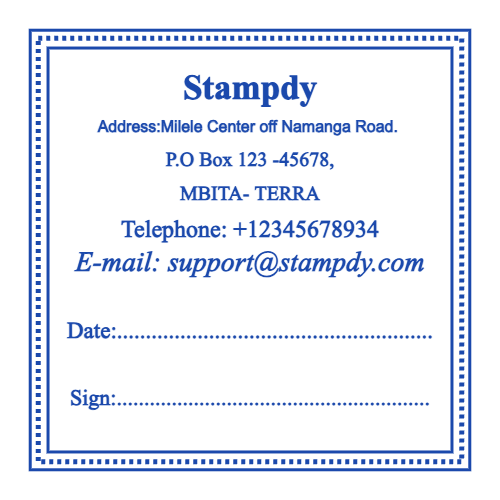
- Company Information Stamps: These include your business name, address, and contact details. They're perfect for correspondence, like letters or emails printed for filing. No more handwriting the same info on every envelope— just one quick stamp keeps things uniform and error-free.
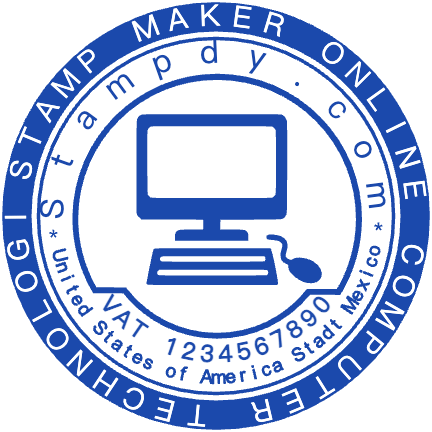
- Logo and Branding Stamps: For enterprises looking to reinforce their identity, custom logo stamps imprint your emblem onto packaging, business cards, or promotional materials. They're a subtle way to build brand recognition without overhauling your entire stationery.
- Approval and Date Stamps: Essential for financial docs, these mark payments, approvals, or deadlines. A "Received" or "Paid" stamp on an invoice can speed up accounting, while date stamps ensure chronological accuracy in records.
- Signature and notary-related layouts: Reproduced signatures and notarial seals can be restricted or regulated. Use them only when the responsible person and applicable rules expressly permit it; a template itself does not create authority.
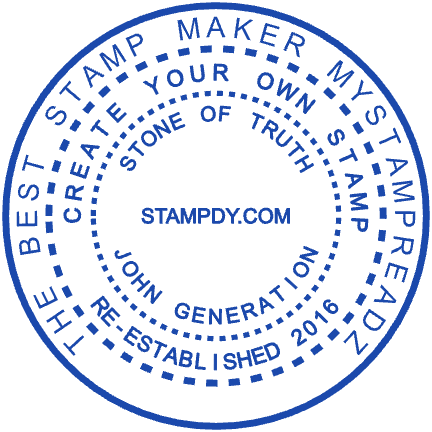
- Specialty Enterprise Stamps: Things like seals for certifications or seals for official business documents add a formal touch. Round company seals are common for contracts, mimicking traditional wax seals but in ink form.
Each type can be customized further—choose shapes like rectangles for address stamps or circles for seals, and opt for colors that match your branding. Wood-handled stamps offer a classic feel for low-volume needs, while self-inking ones are built for endurance in busy offices.
Practical Use Cases for Business Stamps
In real-world scenarios, business stamps shine in streamlining repetitive tasks. For instance:
- Business Invoices and Receipts: Stamping "Paid" or your company details on invoices reduces manual entry errors and speeds up processing. For accounts payable teams, the guide to invoice routing stamps shows how to add receipt, matching, exception, and approval fields.
- Enterprise Contracts and Agreements: A company seal on contracts signals authenticity, especially in international dealings. It's a small step that builds trust with clients and partners.
- Official Business Documents and Certifications: From employee certifications to compliance forms, stamps ensure documents are verifiable. This is crucial in regulated industries like finance or healthcare.
- Company Correspondence: Letters, memos, and reports get a professional boost with address or logo stamps, making your brand stand out in a stack of mail.
- Business Certifications and Approvals: Notary or approval stamps facilitate quick sign-offs, saving hours in administrative workflows.
Beyond these, creative uses are emerging. Some businesses stamp packaging for a personal touch or use them in marketing for loyalty cards. In manufacturing, numbering stamps track inventory without digital tools.
The Benefits of Incorporating Business Stamps
Why bother with stamps in an increasingly digital age? For starters, they boost efficiency—employees spend less time writing and more on value-adding work. Consistency is another win: every document looks polished and uniform, projecting reliability to clients.
From a practical standpoint, stamps reduce errors in documentation, which can prevent costly mistakes like misdated invoices. They're also cost-effective; a custom stamp pays for itself after a few months of use compared to outsourcing printing. Environmentally, they cut down on paper waste by minimizing the need for pre-printed forms.
In terms of longevity, quality stamps last years with proper care—clean the ink pad regularly, and store them away from direct sunlight. This makes them a smart investment for growing enterprises.
How to Design and Create Your Own Business Stamps
Getting started doesn't require a design degree. In an online stamp maker you can select a business stamp template, edit the text, upload a logo, and preview the result in real time. Focus on readability: use clear fonts and appropriate sizes for the stamp's purpose. For invoices, bold sans-serif works well; for seals, elegant scripts add formality.
Consider your needs—self-inking for volume or traditional for detail. Once designed, download in print-ready formats like PNG or PDF, and head to a local shop for fabrication. Instant options mean you can have prototypes ready in days.
Choose a Template by Job, Not Decoration
The best starting layout is the one whose information zones match the document. Use this comparison before customizing:
| Job | Essential fields | Useful format |
|---|---|---|
| Invoice status | Status, date, initials or owner code | Compact rectangle |
| Received document | Received date, department, reference | Rectangle with a writable date line |
| Company address | Legal or trading name and approved return address | Wide rectangle |
| Internal approval | Narrow approval wording, date, responsible reviewer | Boxed status layout |
| Packaging identity | Brand name or simplified logo | Simple round, square, or logo-first layout |
Do not combine all five jobs in one stamp. A narrow, single-purpose design is easier to read, train, replace, and audit.
Proof the longest real values
Before downloading, enter the longest company name, address line, reference code, or department name the layout must handle. Print the proof at its intended size and check it in grayscale. If a field only works with sample text, it is not ready for routine use. When the name is long, an oval stamp layout for long business names often reads better than a crowded circle.
Keep approval language controlled
Labels such as APPROVED, CERTIFIED, or PAID can imply a completed business decision. Document who may apply the mark, what evidence must exist first, and how an error is corrected. A reusable image file should be stored with the same care as the workflow it represents.
Trends in Business Stamps for the Modern Enterprise
As offices hybridize, business stamps are evolving too. Eco-friendly inks and recyclable materials are gaining traction, appealing to sustainability-focused companies. Digital integration is another shift—some pair stamps with apps for hybrid workflows, scanning stamped docs into cloud systems.
Customization is booming, with AI-assisted design tools suggesting layouts based on your industry. For global businesses, multilingual stamps make international correspondence easier to process. Looking ahead, expect more durable, flash-free options for high-security docs.
Wrapping Up: The Enduring Value of Business Stamps
Business stamps might seem old-school, but their role in professional documentation remains vital. They save time, ensure accuracy, and add that touch of authority to your enterprise's operations. Whether for invoices, contracts, or certifications, the right stamp can speed up your workflow without complicating it.
If you need a formal round mark alongside your everyday stamps, the company seal templates offer a quick way to get a clean, consistent design. Start with one stamp for your most repeated task, test it for a week, and add others only when a real need appears.
Business Stamp Template FAQ
What information belongs on a business stamp?
Include only the fields needed for one repeatable job: a company name or address, a short status, a date field, a reference, or a responsible-person identifier. Extra contact details and decorative text usually reduce clarity.
Which file format should I download?
PNG works well for common digital documents and previews. SVG or EPS is better when a fabricator or designer needs a scalable vector. Choose the format required by the final production workflow and verify the result at actual size.
Does a business stamp make a document legally valid?
Not by itself. Legal effect depends on the document, organization, authority of the person applying the mark, and relevant jurisdiction. Confirm formal requirements before using any stamp for contracts, regulated records, notarial acts, or financial authorization.
Should one stamp handle several document statuses?
Usually not. Separate marks or clearly controlled fields reduce the chance that RECEIVED, REVIEWED, and APPROVED will be confused during a handoff.