Prescription forms
Where your regulator or payer asks for the dispensing pharmacy's details on a prescription, a stamp cut to the size of that box fills it in one press.
Stamps for community pharmacies and pharmacists
In a pharmacy the same details go onto paper all day: the pharmacy's name and address on prescription forms and receipts, the date a medicine was supplied, the initials of the pharmacist who checked it. With StampDr's stamp maker you can lay out an address stamp, a round seal for medicine bags and a DISPENSED stamp with date lines, set each one to the size in millimetres of the space it has to fill, and download artwork for your stamp supplier or for PDF receipts.
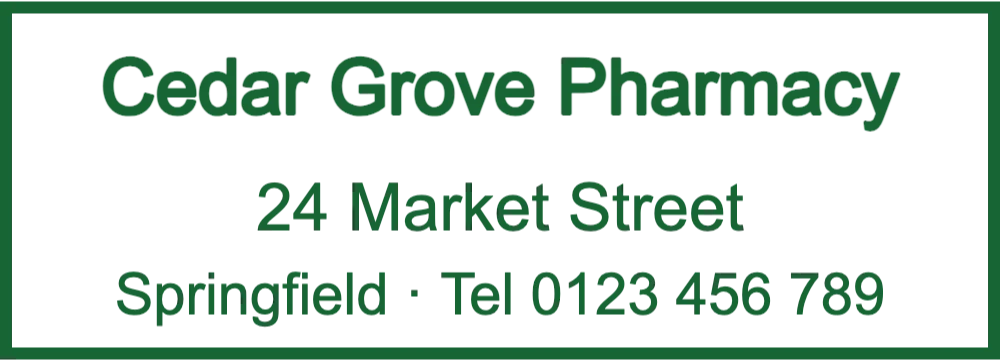


Open a design and a sample pharmacy's details are already in place. Swap in your own name, street and phone number, then adjust the size.
Name, street and phone for receipts, invoices and the pharmacy box on prescription forms.
Open in editorFor paper bags on the collection shelf, delivery boxes and care-home orders.
Open in editorDate and pharmacist lines for dispensing records, owing slips and prescriptions where your rules ask for them.
Open in editorStamps take over the details a busy counter would otherwise write by hand, and give insurers, care homes and patients the same readable block every time.
Where your regulator or payer asks for the dispensing pharmacy's details on a prescription, a stamp cut to the size of that box fills it in one press.
A round seal on a plain paper bag shows where the medicines came from, which matters when bags wait on a shelf or leave with a delivery driver.
Patients claiming costs back from an insurer often need the pharmacy name, address and registration number on the receipt. A stamp adds them to a till slip.
RECEIVED with the date and initials on delivery notes makes it easy to match a short delivery or a returned item to the right invoice.
Keep the counter stamp to what patients, insurers and wholesalers actually read. Rules on what a pharmacy has to show differ from country to country, so check your own regulator's requirements first.
Open one of the three designs above, or begin with a blank rectangle for the counter stamp and a circle for the bag seal.
Type the name, street and phone number, and the registration number if you use one. Pick a plain font and a single dark ink colour.
Measure the box you stamp most often and enter that size in millimetres. 58 × 22 mm suits many receipts; bag seals are usually 35 to 40 mm.
Take a transparent PNG for PDF invoices and emailed receipts, and an SVG, EPS or PDF file for the supplier who makes your self-inking stamp.
Prescription forms leave little room for the pharmacy stamp. A design that spills onto printed text can hide a number someone needs to read later.
Glossy and plastic-lined bags smear ordinary stamp ink. Ask your stamp supplier for a quick-drying ink if your bags are coated.
Registration and phone numbers are copied by insurers and patients, so keep them in Arial or a similar font, never in a script.
If you run several pharmacies, save the design in My Library and duplicate it for each branch, changing only the address and phone lines.
StampDr only lays out the details you type. What a pharmacy has to stamp or record on a prescription is set by each country's regulator and payers, so check with them. The stamp does not replace the pharmacist's signature or the pharmacy's registration.
Counter stamps are often around 50 × 20 mm or 58 × 22 mm, and round bag seals 35 to 40 mm. Measure the smallest box you need to fill and design for that.
The round design above already carries the bowl and snake, and you can upload your own logo. In some countries the pharmacy cross may only be shown by registered pharmacies, so check the local rules first.
Yes. Download a transparent PNG to place on PDFs, or a DOCX file if you keep your invoice templates as documents.
Designing and previewing cost nothing. Payment comes at download, as a one-off export or through a monthly, yearly or lifetime plan.
Pick a layout, add your pharmacy's details and print a test at 100% to hold against your forms before you order.
Professional online stamp maker. Create custom stamps with ease and precision.